Create your own keywords and attach them to multiple prizes. This example uses Rolling Daytona 2025 but can be applied to any Harley-Davidson National Campaign.
1. Click "Interaction Wizard" in the top-left of your screen.

2. Click the "Create a keyword" field.

3. Click the "Effort" field.

4. Click the National Effort that you would like to create a keyword for. This example shows "Rolling Daytona 2025"

5. Click the "Select a contest" field.

6. Choose a contest. In this example, we'll use "2025 Harley-Davidson Street Glide". (You'll add your dealer-level contests in a moment).

7. Type your keyword.

8. Set start and end dates and times, if necessary.

9. Click "Add Keyword"

10. Be sure to turn it on! Click "Turn keyword on".

11. Now, let's add more contests to this keyword. Click "Add more contests to this keyword".

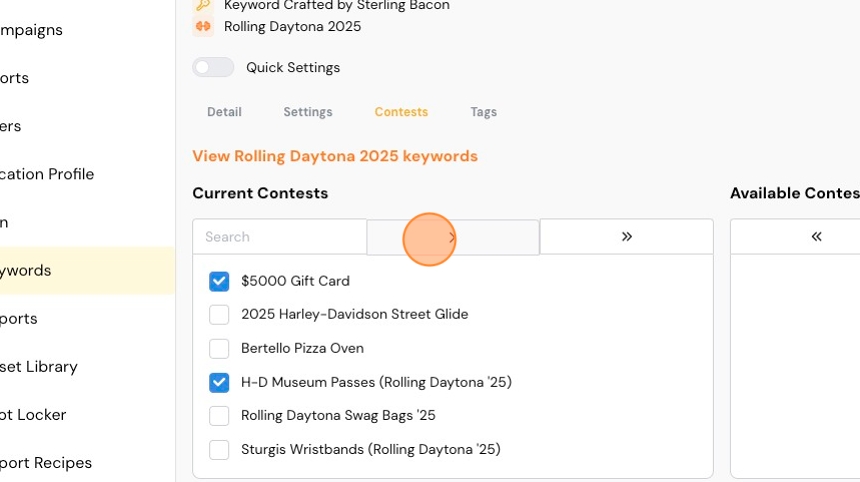
12. On the right under "Available Contests", you'll see any contest that is available to be added to this keyword.
To add all of them, click the double-arrow.

13. Or, select individual contests using the checkboxes, and the single-arrow to move the contests.
14. Repeat those steps to add additional keywords.
Comments
0 comments
Please sign in to leave a comment.