If you're using the Dealer Promo Tool, you can access your Validator's QR codes in your dashboard.
**REMEMBER** - A Validator's QR code will ONLY work when scanned by the customer during the validation process. It does NOT bring the customer to the ride challenge registration. Their first step should always be scanning your dealership QR code on the poster.
1. Login to your Dealer Promo Tool dashboard.

2. Click "Let's Ride Challenge™ Ride For Heroes"

3. Click "Verification Codes"

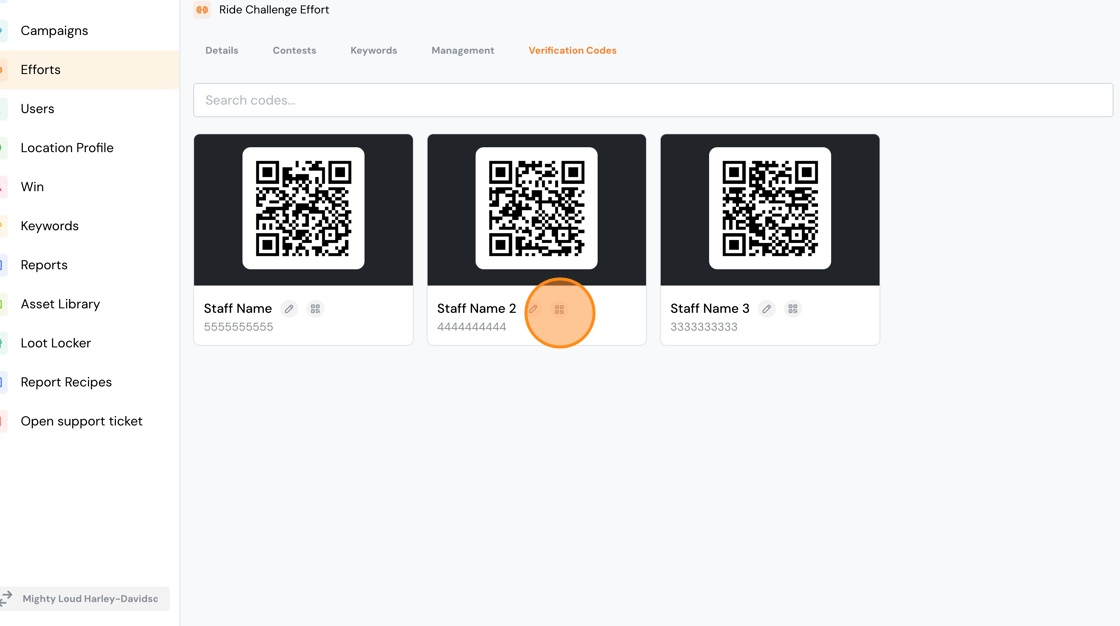
4. Your validators will appear on this screen. To download a QR, click the small icon highlighted in the image below.
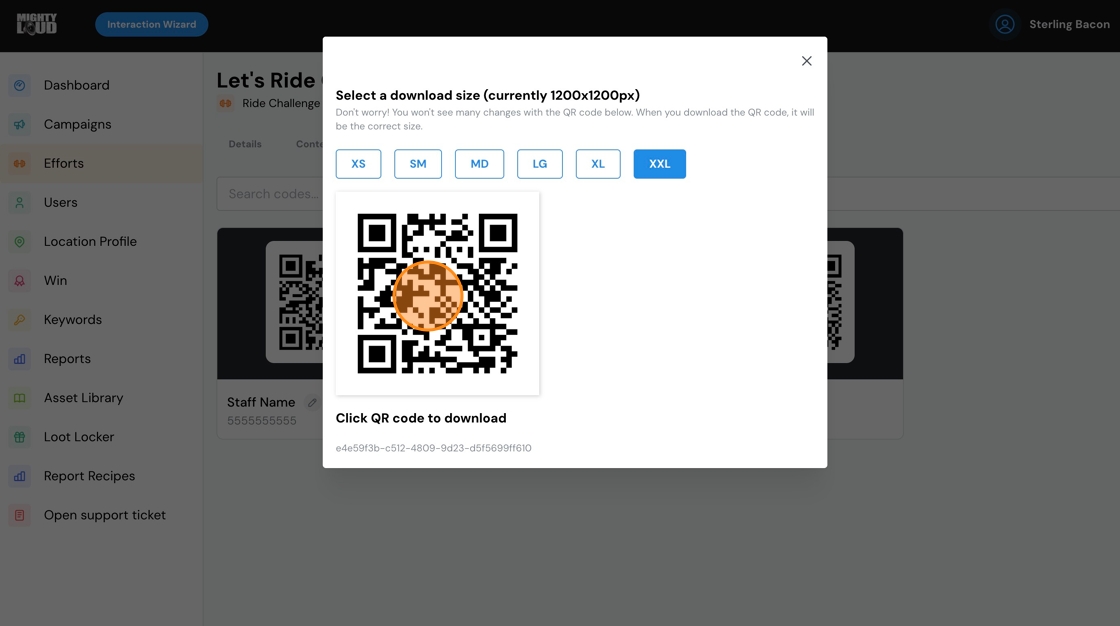
5. Select the size.

6. Click the QR to download to your hard drive.
7. Remember - this QR will ONLY work when scanned by the customer during the validation process. It does NOT bring them to the registration page of Let's Ride Challenge™ Ride For Heroes. For that, they need to scan your store QR on the poster.
Comments
0 comments
Please sign in to leave a comment.